
A homeowner finishes drilling a few holes and leaves the battery on the charger, planning to use it again tomorrow. Hours later, a question pops up: can you leave a cordless drill battery on the charger, or will it harm the battery over time?
Tool owners hear different advice from friends, forums, and even manuals. Some say modern chargers prevent overcharging, while others warn about long-term battery damage.
The shift from old NiCd batteries to lithium-ion technology changed charging behavior entirely. Lithium-ion cells handle charging differently and come with built-in protection circuits to stop charging at full capacity.
According to Battery University, heat and keeping lithium-ion batteries at 100% charge for too long accelerate aging. The study suggests storing batteries at 40–60% charge for the best long-term health.
Another report from UL Standards highlights safety risks like overheating when batteries remain connected to chargers unnecessarily. These risks increase in hot environments or when using non-approved third-party chargers.
Yet modern OEM chargers now include microprocessors, temperature sensors, and maintenance modes. These features allow short-term charging safety while raising questions about long-term practices.
This guide clears up the confusion with expert advice, manufacturer guidelines, and safety data. By the end, readers will know exactly when it is safe to leave a cordless drill battery on the charger and how to extend its lifespan.
The Short Answer — Can You Leave a Cordless Drill Battery on the Charger?
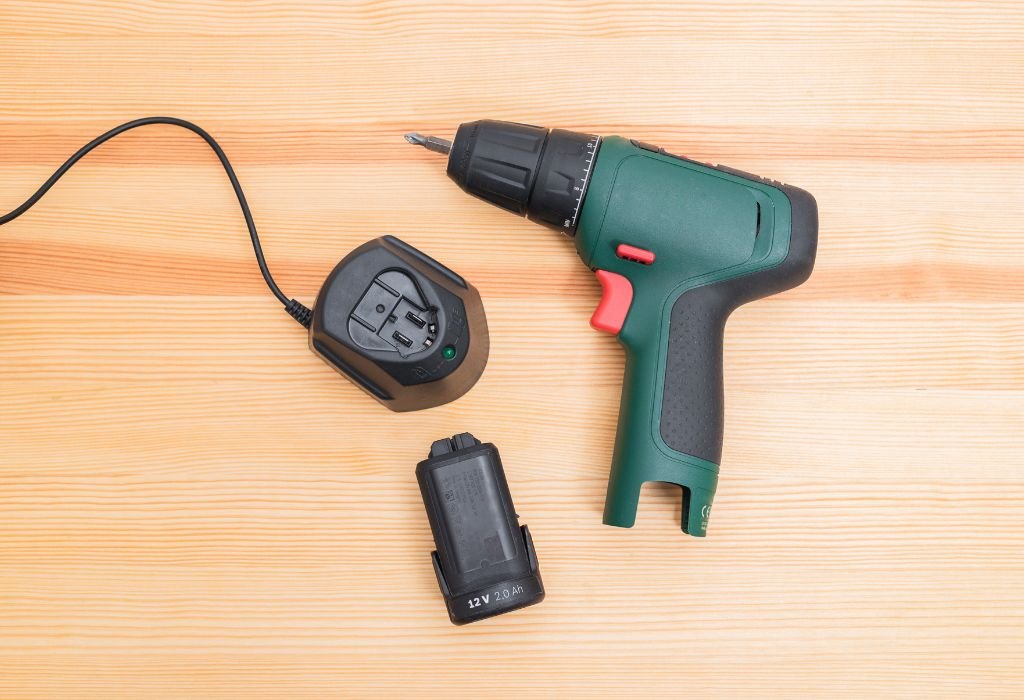
Leaving a cordless drill battery on the charger overnight is generally safe with modern OEM smart chargers. These chargers automatically stop current flow once the battery reaches full capacity, preventing overcharging.
However, most manufacturers recommend removing the battery after charging is complete. This practice prevents unnecessary heat buildup and helps maintain long-term battery health.
For storage longer than a few days, experts suggest keeping batteries at 40–60% charge instead of leaving them fully charged on the dock. This approach reduces chemical stress and slows capacity loss over time.
Always use OEM-approved chargers for maximum safety and performance. Third-party chargers may lack built-in protections found in official charging units.
Q&A Section
Is it safe to leave a cordless drill battery on the charger overnight?
Yes, modern chargers stop charging at full capacity automatically.
Does leaving it on the charger damage the battery?
Not immediately, but heat and long-term full storage can reduce its lifespan.
Should the battery stay connected after reaching full charge?
No, most brands recommend removing it when charging is done.
What about third-party chargers?
Avoid them unless officially approved by the tool manufacturer.
Is partial charging better for lithium-ion batteries?
Yes, storing batteries at 40–60% charge helps extend overall battery life.
How Modern Chargers Work
Modern cordless drill chargers use microprocessors to track voltage, temperature, and charge levels in real time. This technology ensures the battery reaches full capacity safely without the risk of overcharging.
Once the battery hits 100%, most OEM chargers switch to a maintenance mode or stop delivering current completely. Unlike old NiCd chargers, there is no continuous trickle charge that keeps pumping energy into the battery.
Many chargers also have a Battery Management System (BMS) built into the battery pack itself. The BMS balances individual cells, controls current flow, and cuts power if the pack overheats or reaches unsafe voltage levels.
LED indicators on modern chargers show charging status, fault warnings, or when the battery is ready for use. Some advanced chargers even include diagnostic modes to check battery health over time.
With these systems working together, leaving a battery on the charger for a few extra hours is rarely harmful. However, manufacturers still recommend removing it once charging is complete for best long-term results.
Q&A Section
Do modern chargers prevent overcharging?
Yes, they stop current flow automatically when the battery is full.
What does maintenance mode do?
It monitors the battery without continuously charging it.
Is there still a trickle charge like older batteries?
No, lithium-ion packs do not need or use trickle charging.
Do all chargers have a BMS?
Most OEM chargers and battery packs include BMS technology for safety.
Can LED lights show battery health?
Yes, many chargers display charge level and error codes via LEDs.
What Brand Manuals Say
Leading brands like Milwaukee, Makita, Ryobi, and DeWalt provide clear guidance on leaving batteries on the charger. While they design chargers with overcharge protection, most still recommend removing the battery once it is full.
Milwaukee manuals confirm that overnight charging is safe because their chargers stop delivering power after full capacity. However, they advise unplugging the charger if it will not be used for long periods to prevent unnecessary heat exposure.
Makita chargers enter maintenance or monitoring mode after the battery is full. LEDs change patterns to indicate the battery is charged and simply being monitored rather than actively charged.
Ryobi mentions energy save mode, where the charger occasionally wakes up to check battery voltage. This ensures the pack stays balanced without running continuous current into it.
DeWalt focuses on temperature safety, advising users to let hot batteries cool before charging and avoid storing them on the charger in extreme heat or cold.
Q&A Section
Do Milwaukee chargers stop charging automatically?
Yes, they stop power delivery when the battery reaches 100%.
Does Makita recommend unplugging chargers after use?
Yes, even though maintenance mode prevents overcharging.
What is Ryobi’s energy save mode?
It wakes the charger occasionally to check voltage, not to keep charging.
Does DeWalt mention temperature in manuals?
Yes, they recommend charging in cool, dry places only.
Do any brands allow permanent charging?
No, all recommend removing batteries for long-term storage.
Battery Chemistry Basics — Why Li-ion Is Different

Older NiCd batteries required full discharge before charging to avoid “memory effect.” Lithium-ion batteries, however, have no such requirement and actually last longer with shallow charging cycles.
Li-ion cells also react poorly to high heat and prolonged full charge storage. Battery research shows that keeping lithium-ion at 100% charge for days speeds up chemical aging and reduces total cycle life.
Another difference lies in charging behavior. Lithium-ion cells charge to a precise voltage and then stop, unlike NiCd packs which tolerated constant trickle current.
Manufacturers now design Battery Management Systems (BMS) to protect lithium-ion packs. BMS prevents overcharging, balances cells, and shuts down charging if temperatures rise too high.
This makes lithium-ion safer but also means proper storage habits significantly affect lifespan.
Q&A Section
Do lithium-ion batteries have memory effect?
No, they do not require full discharge before charging.
Is it bad to store lithium-ion at 100% charge?
Yes, it accelerates chemical aging over time.
What role does BMS play in charging?
It controls voltage, temperature, and overall safety.
Do lithium-ion packs need trickle charging?
No, they stop charging once full and don’t need continuous current.
Does temperature affect battery lifespan?
Yes, high heat shortens battery life significantly.
Best Practices by Scenario
Overnight charging with OEM smart chargers is safe for most users. Still, manufacturers advise unplugging chargers after use to minimize heat and energy waste.
For day-to-day use, charge batteries before storage but remove them from the charger once full. This balances convenience with long-term battery health.
If storing for weeks or months, keep batteries at 40–60% charge rather than full. Store them in cool, dry conditions away from direct sunlight or heat sources.
Before heavy use, fully charge batteries for maximum runtime. After work, let them cool down before recharging to prevent thermal stress.
Avoid third-party chargers unless officially approved by the tool manufacturer. Using non-OEM chargers can bypass safety features and risk damaging the battery or tool.
Q&A Section
Is overnight charging safe for lithium-ion batteries?
Yes, as long as you use OEM smart chargers with overcharge protection.
What is the best charge level for long-term storage?
Store batteries at around 40–60% charge.
Should batteries cool before recharging?
Yes, let them reach room temperature before charging.
Can you leave batteries on third-party chargers?
No, unless the manufacturer approves that charger model.
Do batteries need full discharge cycles?
No, lithium-ion lasts longer with partial discharge cycles.
Safety and Fire Risk — Simple, Compliant Habits
Lithium-ion batteries are generally safe but can fail if exposed to extreme heat, physical damage, or improper charging. Following manufacturer instructions and using OEM chargers greatly reduces these risks.
Always charge in a well-ventilated area on non-flammable surfaces like concrete or metal benches. Avoid leaving chargers on soft, heat-retaining materials such as carpets or bedding.
Unplugging chargers when not in use lowers the chance of overheating and electrical faults. It also prevents unnecessary energy use in standby mode.
Store batteries away from direct sunlight, heaters, or freezing conditions. Extreme temperatures shorten battery life and increase the risk of swelling or leakage.
Check manufacturer websites for recall notices to ensure older batteries or chargers have no known safety issues. Safety standards like UL certification confirm chargers meet strict electrical guidelines.
Q&A Section
Is it safe to leave batteries charging overnight?
Yes, if using OEM smart chargers in cool, ventilated areas.
Can heat damage lithium-ion batteries?
Yes, high heat accelerates wear and raises safety risks.
Do all chargers meet safety certifications?
OEM chargers follow UL or equivalent safety standards.
Should batteries be charged on wooden furniture?
No, always use non-flammable, stable surfaces.
Is unplugging chargers after use recommended?
Yes, it reduces energy use and possible fire hazards.
Troubleshooting & LED Codes
Modern chargers use LED indicators to show charging status, errors, and maintenance modes. Learning these codes helps diagnose battery or charger issues quickly.
A steady green light typically signals a full charge, while flashing red may indicate overheating or a faulty connection. Always refer to the user manual for exact LED meanings.
Some chargers include maintenance or energy-saving modes, where the light changes pattern after reaching full charge. This mode monitors the battery without continuing to supply power.
If a battery refuses to charge, it could be in sleep mode after deep discharge. Many chargers require a brief wake-up cycle before charging resumes normally.
Persistent errors or overheating signals may point to aging batteries or charger faults, requiring professional inspection or replacement.
Q&A Section
What does a flashing red LED mean on chargers?
It often signals overheating, damage, or a connection problem.
Why does the LED change after a full charge?
Many chargers switch to maintenance mode or stop charging entirely.
Can LED codes vary between brands?
Yes, always check the specific manual for your tool model.
What is battery sleep mode?
It occurs after deep discharge; the charger must wake the battery before charging.
When should chargers or batteries be replaced?
Replace them if errors persist or overheating occurs repeatedly.

I’m John F. Nicholas, the founder, lead writer, and drill enthusiast behind 101drill.com. With years of hands-on experience in power tools and DIY projects, I created this platform to share practical knowledge, expert tips, and real-world insights to help others master the art of drilling.